pyts.preprocessing.MaxAbsScaler
-
class
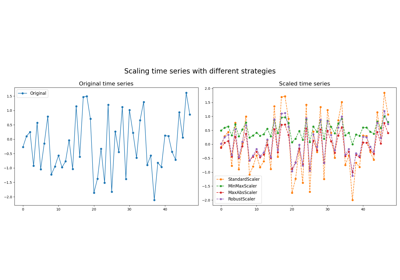
pyts.preprocessing.MaxAbsScaler[来源]¶ 按每个样本的最大绝对值进行缩放。
示例
>>> from pyts.preprocessing import MaxAbsScaler
>>> X = [[1, 5, 3, 2, 10, 6, 4, 7],
...      [1, -5, 3, 2, 2, 1, 0, 2]]
>>> scaler = MaxAbsScaler()
>>> scaler.transform(X)
array([[ 0.1,  0.5,  0.3,  0.2,  1. ,  0.6,  0.4,  0.7],
       [ 0.2, -1. ,  0.6,  0.4,  0.4,  0.2,  0. ,  0.4]])
方法
__init__()Initialize self. fit([X, y])Pass. fit_transform(X[, y])Fit to data, then transform it. get_params([deep])Get parameters for this estimator. set_output(*[, transform])Set output container. set_params(**params)Set the parameters of this estimator. transform(X)Scale the data. -
fit_transform(X, y=None, **fit_params)¶ 拟合数据,然后进行转换。
使用可选参数fit_params将转换器适配到X和y,并返回转换后的X版本。
参数: - X : array-like of shape (n_samples, n_features)
输入样本。
- y : array-like of shape (n_samples,) or (n_samples, n_outputs), default=None
目标值(无监督转换时为None)。
- **fit_params : dict
额外的拟合参数。
返回值: - X_new : 形状为(n_samples, n_features_new)的ndarray数组
转换后的数组。
-
get_params(deep=True)¶ 获取此估计器的参数。
参数: - deep : bool, default=True
如果为True,将返回此估计器及其包含的子估计器的参数。
返回值: - params : dict
参数名称映射到对应的值。
-
set_output(*, transform=None)¶ 设置输出容器。
参见Introducing the set_output API 了解如何使用该API的示例。
参数: - transform : {“default”, “pandas”}, default=None
配置transform和fit_transform的输出格式。
- “default”: 转换器的默认输出格式
- “pandas”: 输出为DataFrame
- None: 保持转换配置不变
返回值: - self : 估计器实例
估计器实例。
-