Display progress and status
Streamlit 提供了一些方法,允许你为你的应用程序添加动画。这些动画包括进度条、状态消息(如警告)和庆祝气球。
Animated status elements

进度条
显示一个进度条。
for i in range(101):
  st.progress(i)
  do_something_slow()

加载指示器
在执行代码块时暂时显示一条消息。
with st.spinner("Please wait..."):
  do_something_slow()
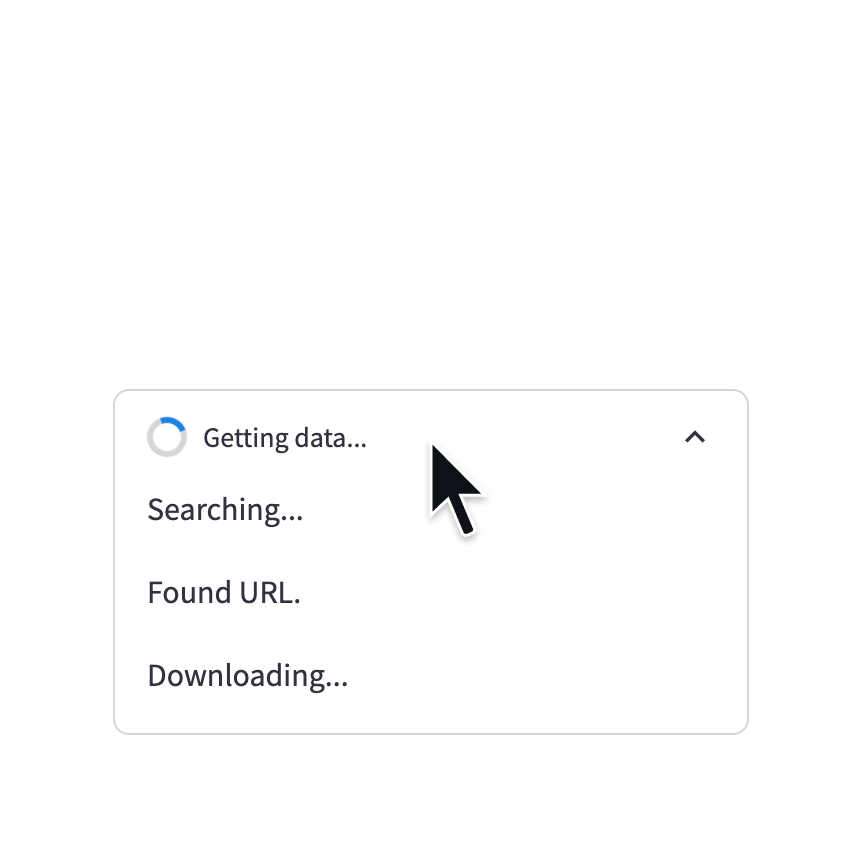
状态容器
在容器中显示长时间运行任务的输出。
with st.status('Running'):
  do_something_slow()

提示信息
在右下角短暂显示一条提示消息。
st.toast('Butter!', icon='🧈')

气球
显示庆祝气球!
st.balloons()

雪花
显示庆祝的雪花!
st.snow()
Simple callout messages

成功框
显示成功消息。
st.success("Match found!")

信息框
显示一条信息消息。
st.info("Dataset is updated every day at midnight.")

警告框
显示警告信息。
st.warning("Unable to fetch image. Skipping...")

错误框
显示错误信息。
st.error("We encountered an error")

异常输出
显示一个异常。
e = RuntimeError("This is an exception of type RuntimeError")
st.exception(e)
第三方组件
这些是由我们可爱的社区创建的精选组件。更多示例和灵感,请查看我们的 组件库 和 Streamlit 扩展!


自定义通知框
一个可以关闭的自定义通知框。由@Socvest创建。
from streamlit_custom_notification_box import custom_notification_box

styles = {'material-icons':{'color': 'red'}, 'text-icon-link-close-container': {'box-shadow': '#3896de 0px 4px'}, 'notification-text': {'':''}, 'close-button':{'':''}, 'link':{'':''}}
custom_notification_box(icon='info', textDisplay='We are almost done with your registration...', externalLink='more info', url='#', styles=styles, key="foo")

还有问题吗?
我们的 论坛 充满了有用的信息和Streamlit专家。